
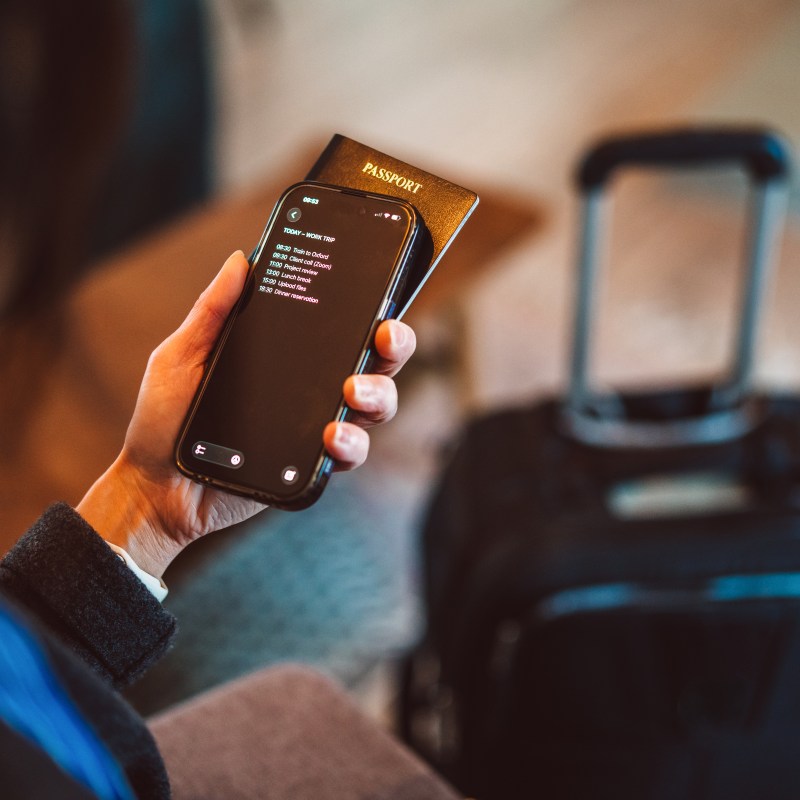
Once upon a time, heading out on a trip meant leaving behind creature comforts—including internet access.
Videos by TravelAwaits
Today, we tend to keep our world in our pockets even when we travel across the globe. Thanks to the power of the Cloud, we can download, send, and store just about any document so long as we have cell service or wi-fi. In short, it has lessened the burden of figuring out what is necessary to bring with us on a trip, since it’s probably accessible with a few clicks.
From hotel addresses to emergency contacts, it’s easy to keep track of those details with a smartphone, tablet, or laptop.
That being said, storing pictures in your phone’s library can be risky. If your phone is stolen, thieves could access important information straight from your camera roll. If your phone is hacked, they’re less likely to gain access to your photos—but if they manage to access your Cloud account, they’ll still have access to your camera roll.
Do you see where I’m going with this? You need to find the balance between storing important information on your phone, but you don’t want to upload everything, as hackers are learning new ways to gain access to camera rolls.
So, which screenshots should you have stored on your phone before traveling in 2026? And what shouldn’t you keep stored in your camera roll? Consider this your travel prep checklist.
First: a note on safety
This article is designed to help you avoid travel hiccups by taking pictures of important travel documents and information before your trip. That way, you won’t accidentally hand hackers any information they can use to exploit you, like your credit card info.
Before we dive in, know that enrolling in STEP (Smart Traveler Enrollment Program) is one of the best ways to stay safe while traveling in case of an emergency. The STEP program allows Americans to register their trips with the Department of State. The DOS then sends your relevant itinerary information to the embassies and/or consulates at your destination(s).
That way, if something happens and you or your loved ones need to get in contact with American officials abroad, the Department of State already has a record of where you are and which office can most readily assist you.
Travel prep: take these 6 screenshots before you travel
Passport barcode
If you lose your passport abroad, you can order a new one using your existing barcode. Your passport’s bar code is an important piece of information that a consulate or embassy will use to cancel the lost passport. In other words, don’t just take a photo of the passport’s main identity page that has your photo and passport number. You also need an image of the barcode on the last page of your passport. It will make things much easier when it comes to replacing your passport and reporting it stolen.
Medication prescriptions with translations
If you take medication, you should always have copies of your prescriptions with you. Medical staff can usually figure out your prescription based on its name, since medical terms are based on Latin and are standardized.
However, that might not be the case—especially if you’re drifting further off the map. I recommend taking a picture of your prescription, along with a short description of your ailment and medical history. Don’t forget to translate this into the local language. Sure, it might be overkill, but you’ll be thankful if you face a medical emergency abroad.
Reservation & confirmation numbers
Reservation and confirmation numbers usually live in our email apps, since that’s where they’re originally sent. However, I highly recommend screenshotting all confirmation numbers before your trip—from car rentals to hotels to group tours.
The last thing you want is to finally make it to the front of the car rental kiosk in Palermo only to realize your confirmation email won’t load. Avoid those little hiccups from the jump.
Tour information
I usually book two to three tours on each vacation I take… and I’ve been burned before, thinking that I had all the meetup information sorted, only to be running around desperately trying to find my group. If you’re anything like me, take a screenshot of your tour meetup information after your booking is confirmed.
I’ve found that most tour guides ask for my name, not my confirmation number. It’s good to have it with me, but my main focus when it comes to tours is knowing where to be and at what time, especially in busy cities where there are crowds.
Embassy or consulate information
If you didn’t enroll in STEP, then look up the consulate and embassies that are in your destination(s). I recommend taking a screenshot of the address, hours, and phone numbers. If you don’t have an embassy or consulate in the immediate vicinity, make sure you know which big city has one. You might need an embassy or consulate if you lose your passport or are otherwise facing emergencies, from pandemics to landslides.
Basic translations
Once again, the further off the map you’re wandering, the more you might want access to basic translations. These can help you navigate language barriers when you don’t have service or wi-fi. However, if you’re going to keep translations for these types of situations, I recommend actually sitting down to consider what you might need translated, including script.
For example, if you’re visiting India for the first time, you might want to bring a list of written translations—but make sure you have the Hindi and phonetic scripts with you. Locals will use Hindi to understand what you’re asking, but it’s helpful for you to have the phonetics so that nothing falls through the cracks.
If you’re heading to Punta Cana for a resort trip, you don’t need to worry about this type of thing, in my experience.
Is there anything you shouldn’t screenshot?
I have two pieces of advice on what probably shouldn’t be in your camera roll when you’re traveling.
First, I recommend storing your screenshots in a folder with a nondescript name, like ‘bathroom tiles’. (Very creative, I know.) That way, if someone does steal your phone or ends up with access to your photo library, they can’t go straight to the ‘sensitive information’ folder. In short, it could deter the lazier hackers.
Second, I recommend not uploading photos of your credit/debit cards. It’s great to have them available in a bind, especially if your wallet is stolen. However, it’s a low-hanging fruit for anyone who steals your phone and gains access to your library. You would need to cancel all cards from your camera roll, in that case.
A great compromise is taking a photo of one credit/debit card, meaning you’d only need to cancel one in case of disaster. Another solid move is leaving images of your credit/debit cards with a trusted friend whose number you have memorized. That way, you can call them in a bind without keeping any sensitive information on your phone.
Again, it’s unlikely that a hacker will gain access to your photo library where screenshots are stored. However, hackers are getting better at bypassing passcodes if your phone is stolen.